
Is My Website Losing Customers? Five Phone Checks
You do not need analytics to spot a leaking website. Five checks on your own phone, ten minutes in total, will show where visitors are giving up.
· by the Good Work team, Bentonville, AR

The short answer.
Your website is probably losing customers if it loads slowly on mobile data, hides your phone number or main button, fails to say what you do on the first screen, shows wrong details when you search your own name, or fails when you submit your own contact form. You can test all five on your phone in about ten minutes, with no analytics needed.
Get a free quote- Time needed
- About 10 minutes
- Tools
- Your phone, mobile data, and your own contact form
- Number of checks
- Five, each with a clear pass or fail
- Free next step
- Site audit with results within two business days
Is my website losing customers? Start with your phone
Test the site the way most customers meet it: on a phone, on mobile data, with one thumb. Most owners review their website on a desktop monitor, on office wifi, knowing exactly where everything is. That is the easiest possible version of the site. Your customers see a harder one.
Put your phone on mobile data, turn off wifi, and run the five checks below. Each one has a clear pass or fail. Write down the fails as you go.
| Check | Time | Pass looks like | Fail looks like |
|---|---|---|---|
| 1. Load on mobile data | 2 min | Content appears while you are still looking at the screen | You wait, watch a blank page, or see layout jumping |
| 2. Thumb test | 2 min | Phone number and main button reachable in one tap | Pinching, zooming, hunting through menus |
| 3. First screen | 2 min | A stranger can say what you do and where | A slogan, a stock photo, no clear service |
| 4. Search yourself | 2 min | Your listing and site match and are correct | Wrong hours, old address, or no listing |
| 5. Send yourself a lead | 2 min | Form works and you get the message quickly | Error, no confirmation, or the email never arrives |
What to do: keep this table open and score each check as you read the sections below.
Check 1: Load the site on mobile data
If you notice the wait, your customers noticed it first. There is no single magic number, but a page that shows a blank screen or shifts around while it loads loses people who had no reason to be patient.
Open your home page and your most important service or product page. Watch for three things: how long before you can read something, whether the layout jumps as images arrive, and whether a pop-up covers the content before you have read a word.
For a measured result, run the page through Google's free PageSpeed Insights tool. It reports Core Web Vitals, Google's measures of loading, responsiveness and visual stability. Treat the tool's list of suggestions as a starting point, since not every item is worth fixing.
The usual causes are oversized images, too many scripts, and heavy themes or plugins. On Shopify, apps are a common cause, and our Shopify speed optimization work starts there.
What to do: if the page feels slow to you, note the page and move on. The fix is a job for a developer, not a reason to keep testing.
Check 2: Do the thumb test
A customer should be able to call, book or buy with one thumb and no zooming. Hold the phone in one hand and try to do the single most valuable thing on your site. For a plumber, that is calling. For a dentist, booking. For a store, adding to cart.
- Is your phone number a tap-to-call link, or plain text you have to copy?
- Can you see the main button without scrolling past a large photo?
- Are buttons and links big enough to hit without tapping the wrong one?
- Does the menu open easily and show the pages people want?
- Does any text require pinching to read?
Every extra step between a customer's intent and your phone number is a place to lose them. Many are comparing two or three businesses at once, and they call the one that is easiest.
What to do: any "no" above is a fail. Write down the exact step where you got stuck.
Check 3: Read the first screen like a stranger
Your first screen has to say what you do, where, and what to do next. Hand your phone to someone who does not know your business, show them the home page for five seconds, then take it back. Ask three questions: what does this company do, where, and what would you click?
Common failures are a clever tagline that explains nothing, a rotating banner that hides the service, and a photo that could belong to any company. Visitors who cannot answer those questions in a few seconds leave, and they rarely tell you why.
Also look for proof close to the top: a recent project, a review, a license, a service area. For a local business, naming the city or region is a plain way to confirm you are the right fit, whether that is Bentonville or the wider Northwest Arkansas area.
Our guide on what a small business website should include lists the basics every site needs.
What to do: if your tester got even one of the three questions wrong, rewrite the first screen before you spend a dollar on ads.
Check 4: Search for your business on your phone
Many customers meet your Google listing before they see your site. Search your business name, then search your main service plus your city, the way a new customer would. Check what appears and whether it is correct.
- Does your listing show the right hours, phone number and address?
- Does the website link on the listing go to a page that makes sense?
- Do you appear for your service in your area, or only for your exact name?
- Are there recent reviews, and do you reply to them?
A wrong phone number or old hours sends customers away before the website matters. Fixing a listing is part of our Google Business Profile service, and getting found for service searches is the work of local SEO.
What to do: fix any wrong detail today. It costs nothing and it is the quickest win on this list.
Check 5: Send yourself a lead
Submit your own contact form from your phone and see what happens. This is the check owners most often skip, and it is where the worst silent losses hide. A form that errors, a confirmation that never appears, or a notification that lands in spam means real inquiries disappear without anyone knowing.
Fill in the form exactly as a customer would. Then check four things:
- Did the form submit without an error on a phone?
- Did you see a clear confirmation message?
- Did the notification arrive, and how quickly? Check the spam folder too.
- Did it go to someone who actually reads and answers it?
Do the same with booking tools, quote requests, live chat and checkout if you have them. Run through the whole path, not only the first step.
What to do: if the message did not arrive within a few minutes, treat it as an emergency. Ask whoever built or hosts the site to fix it now.
What to do with your results
Zero fails means your basics are sound. One or two fails are usually quick fixes. Three or more usually point to a site that needs rework.
Small problems, like a wrong phone number or a broken form, can be fixed in a day. Slow pages, confusing structure and poor mobile layout are harder. When most of the checks fail, a rebuild often costs less than patching, and our website redesign service starts from $4,500 at a fixed price, with rankings protected. If you are starting from scratch, our web design work includes a $2,400 landing page and a $4,500 seven-page launch site. You can get a range for your project with the price estimator.
If you cannot tell why a check failed, that is what the free site audit is for. We review speed, search and AI visibility, and list the priority fixes, with results within two business days.
What to do: send us your URL and the list of fails you wrote down. We will tell you which are quick fixes and which are not.
Questions people ask.
Short answers, no hedging.
How can I tell if my website is hurting my business without analytics?
Use the site the way a customer would, on a phone with mobile data. Check speed, whether you can call or book in one tap, what the first screen says, how your listing looks in search, and whether your own form delivers a message. Failures there cost you customers whether or not you have analytics.
How fast should a small business website load on a phone?
There is no single cutoff that applies to every site. A good test is whether you can read the main content without waiting while on mobile data. Google's PageSpeed Insights reports Core Web Vitals, and the thresholds it uses are published by Google and change from time to time, so check them there.
Will a redesign fix a website that is losing customers?
It will if the problems are structural, such as slow pages, a confusing layout, or a mobile experience that was never designed. It will not fix a wrong listing or a broken form, which are quicker repairs. Find out which kind of problem you have before you commit to a rebuild.
What does it cost to fix a website that is not producing leads?
Small fixes, like correcting a listing or repairing a form, are often a day of work. A full redesign with Good Work starts from $4,500 at a fixed price. Our price estimator gives a range for your project in a few minutes, and the free quote gives a fixed price within one business day.
Examples of our work
Recent projects from the same small team that would work on yours. See all case studies.

Indoor cycling and barre studio
Working from the studio's style guide, we designed the website, the grand opening campaign, price cards, an expo booth and the graphics on the studio walls.
Read the case study
Women's fashion boutique
We redesigned the site for desktop and phone and built seasonal lookbook pages from the boutique's own photo shoots.
Read the case study
Luxury wedding planner
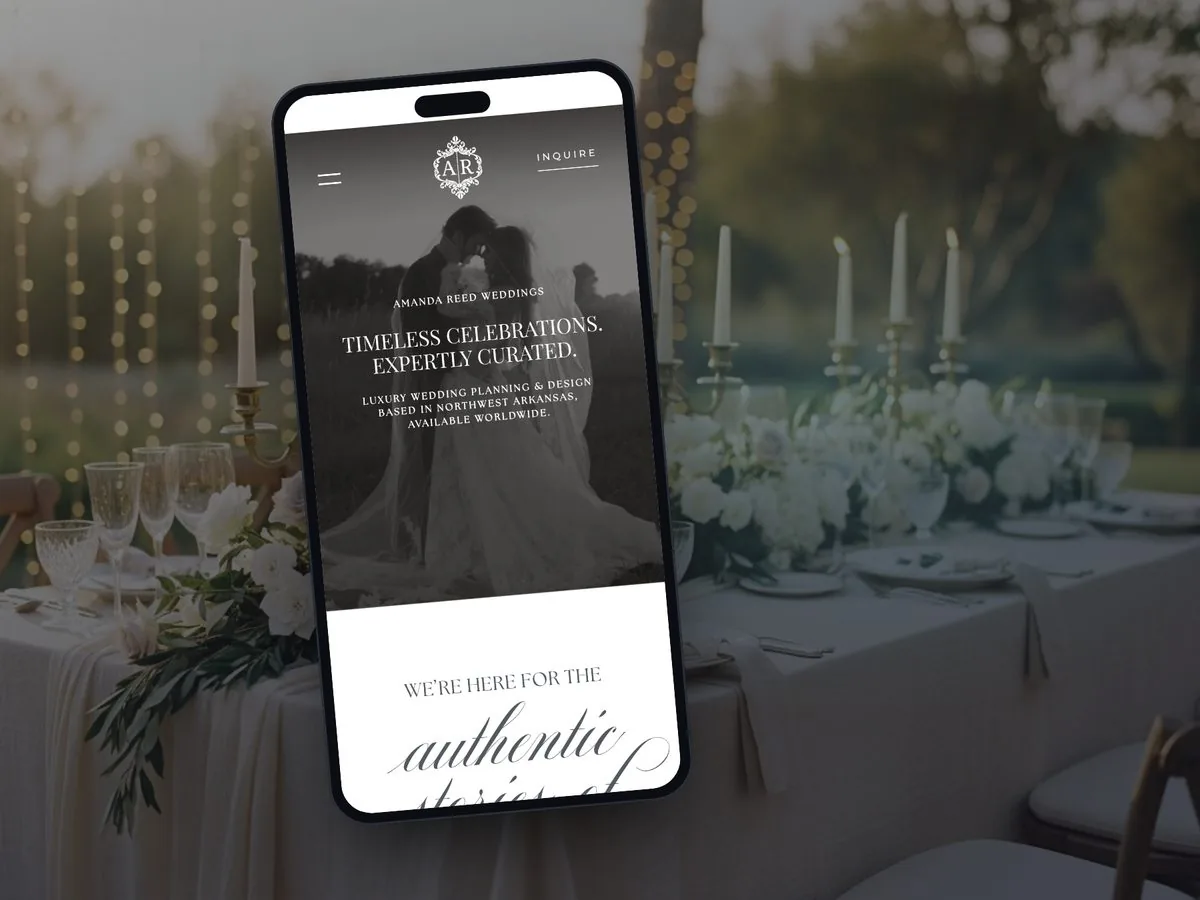
The new site leads with photography, keeps the words few, and sends couples to one detailed enquiry form.
Read the case studyKeep reading
All articles Web design ·
How to Choose a Web Designer in Bentonville, AR
A portfolio shows taste, not whether your project will go well. Here are five checks to run on any Northwest Arkansas web designer before you sign.
Read the articleWeb design · Web Designer vs Agency: Which Should a Small Business Hire?
A freelancer fits a small, clearly defined project. An agency fits a site that needs design, development and search work together. Here is how to decide, and what to ask before you sign.
Read the article AI ·
How to Show Up in ChatGPT Answers
AI assistants quote pages that state clear facts and answer real questions. Here is what they read, what you can control, and an eight-step checklist.
Read the articleNot sure why your website is losing customers?
Send us your URL for a free site audit: we review speed, search and AI visibility, and list the priority fixes within two business days.